 Prompt Sheet
Stop retyping the same
AI prompts
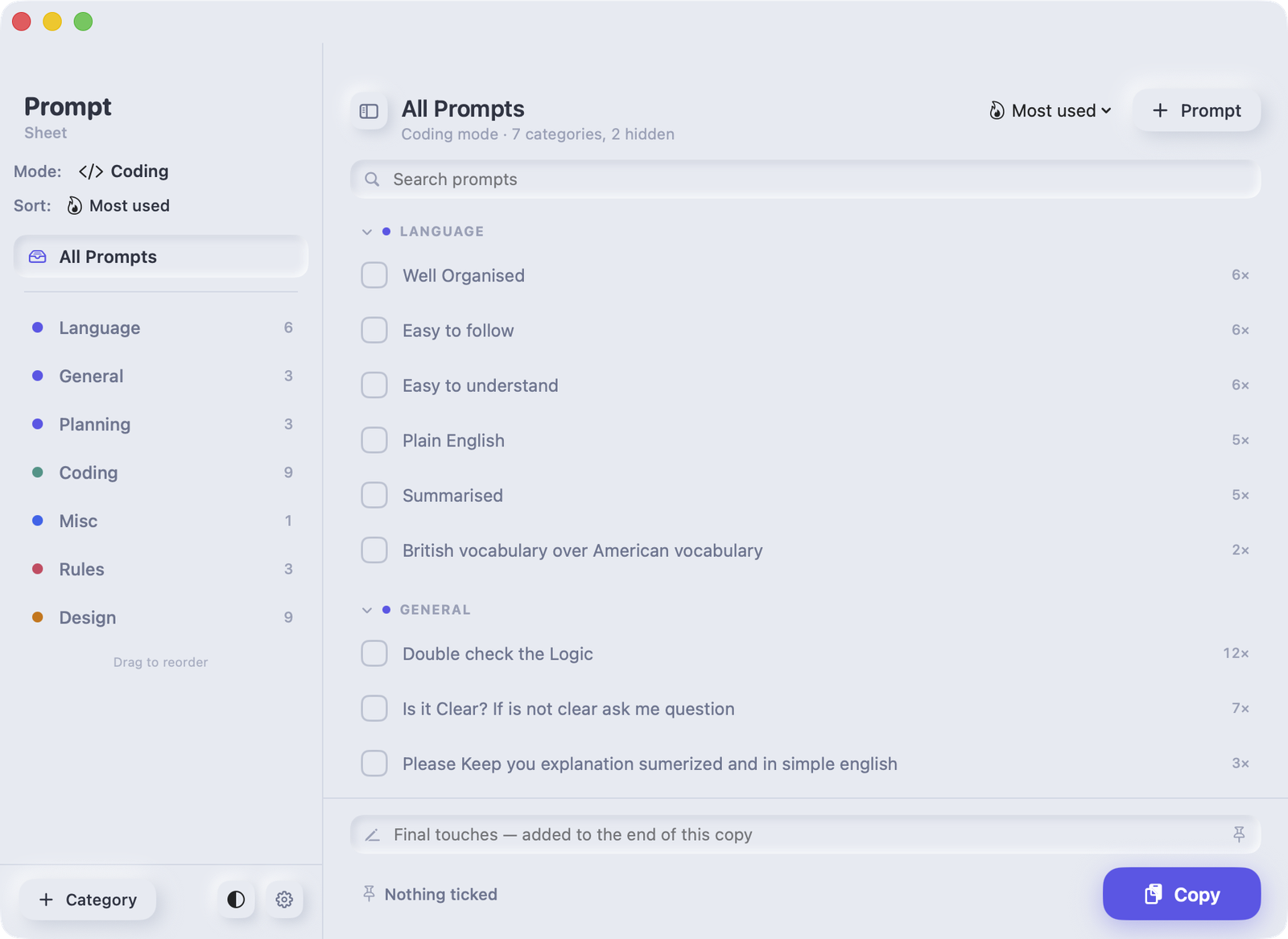
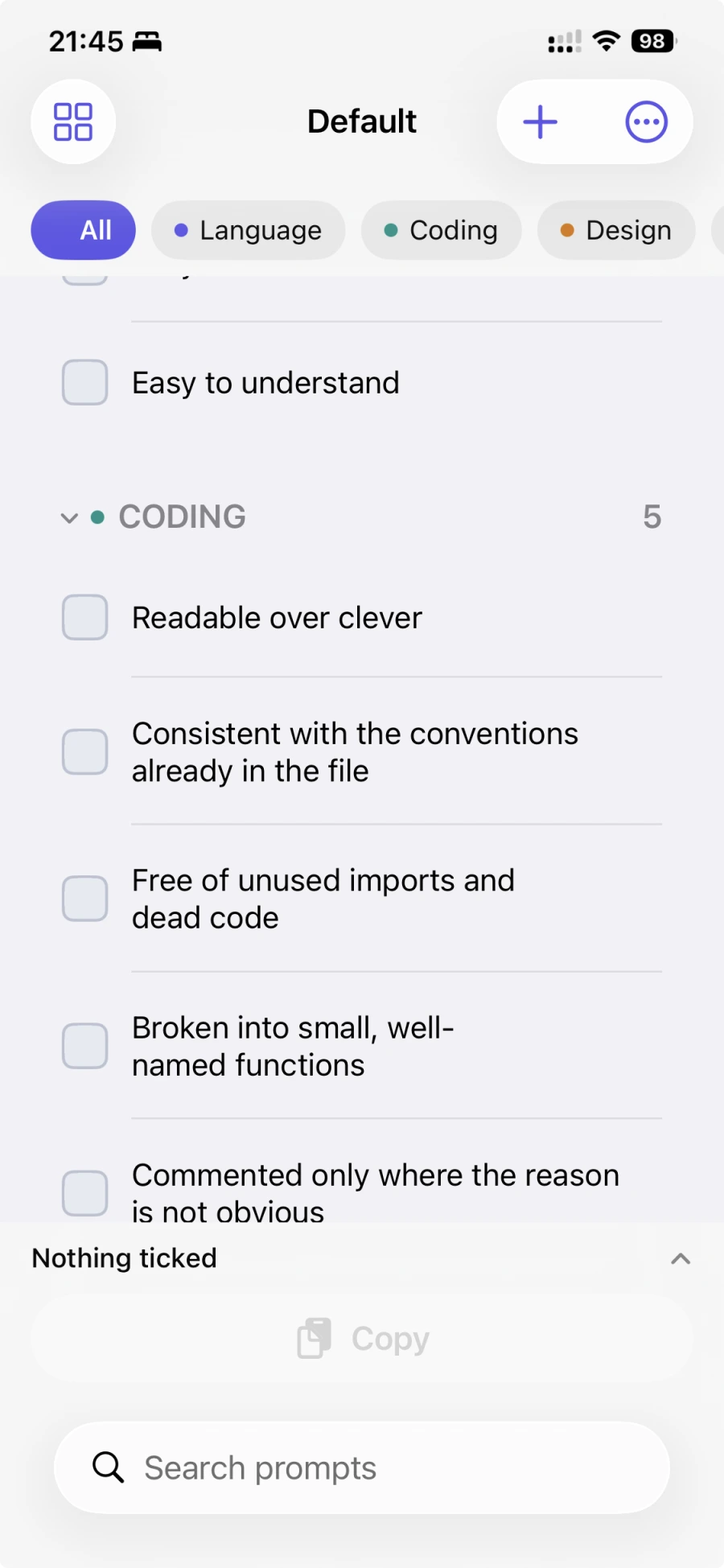
Answer in British English. Keep it short. No jargon. Prompt Sheet is a prompt manager for the instructions you repeat: write them once, tick the ones you want, and paste one clean block into any AI chat.
Free for 30 days, everything unlocked. No account. No sign-up.
You already have a set of instructions. You just retype them.
Most people keep them in their head, or in a notes file they copy from line by line. Both are slow, and both mean the wording comes out slightly different every time — so the answers do too.
They live in the wrong place
Custom instructions saved inside one AI tool only work inside that tool. Change tools and you start again.
They drift
Typed from memory, the wording changes each time. You cannot reproduce a result you liked.
They cost you a round trip
You forget one, the answer comes back wrong, and you ask again.
Four steps, then it is out of your way
- Write it onceA short instruction, filed under a category you choose.
- Tick what you needAcross as many categories as you like.
- Press CopyThe app builds the text and puts it on your clipboard.
- PasteInto any AI chat, document or email.
It writes a sentence, not a shopping list
Every category has a lead-in phrase. Tick three prompts and they are folded into one properly punctuated sentence — the way you would have written it by hand.
What you tick
✓ British vocabulary over American
✓ Well organised
✓ Easy to follow
What lands on your clipboard
Language should be British vocabulary over American, well organised and easy to follow.
Everything else
Modes
Switch working context — Coding, Writing, Business — and only the categories that matter are on screen. Choose from five prompts instead of fifty.
See it before you copy
The preview shows exactly what will be copied, each prompt a coloured chip. Drag them into a different order for this one copy.
Copy on your phone, paste on your Mac
Apple devices share a clipboard, so a prompt picked on the iPhone is ready to paste on the Mac seconds later.
Your library, on every device
Syncs through your own iCloud account. Or keep it on one device — that is a setting, not a compromise.
Built properly for the Mac
A menu bar panel, a Dock menu of your categories, a window that floats above other apps, and a keyboard shortcut to copy.
Works offline. Works with everything.
It never contacts an AI service, which is exactly why it works with all of them. Change the tool you use tomorrow and your prompts come with you.
It collects nothing. There is nowhere for it to go.
This is not a promise about how carefully we handle your data. There is no server, so there is nothing of yours to handle.
- ✓No account and no sign-up. Open it and use it.
- ✓No analytics and no tracking. Nothing is measured, nothing is sent.
- ✓It never contacts an AI service. It writes to your clipboard and to your own files.
- ✓Your library is your file. On your device, and in your own iCloud if you want it there.
- ✓Export it whenever you like. Plain, readable JSON. Nothing is locked in.
One thing we would rather say plainly. Your prompts are stored as ordinary, unencrypted text. Anyone who can unlock your device, or sign in to your iCloud account, can read them. Do not put passwords, API keys or other secrets into a prompt. Read the full privacy policy.
Free for 30 days. Then keep going, or unlock it.
£2.99 once — not a subscription
For 30 days everything is unlocked. After that you keep all 26 starter prompts and the first 20 you wrote yourself, free, for as long as you like. One payment removes the limit on your Mac, iPhone and iPad together.
Nothing you have written is ever deleted.
Questions
Which AI tools does it work with?
All of them. Prompt Sheet only writes to your clipboard, so anywhere you can paste — a chat, a document, an email — it works.
Does it need an account?
No. There is no sign-up, no login and no password. Open it and start writing.
Where are my prompts kept?
In a plain file on your device. If you turn on iCloud, a copy lives in your own iCloud account and syncs to your other devices. It never touches a server of ours, because there isn't one.
What happens after the 30 days if I don't pay?
Nothing is deleted. You keep all 26 starter prompts and the first 20 you wrote yourself, and you can go on using them for as long as you like. Prompts beyond that stay visible and editable but cannot be copied until you unlock the app.
Is it a subscription?
No. One payment, and it covers your Mac, iPhone and iPad together.
Does it work offline?
Completely. The only time it needs the internet is to sync through iCloud or to take a payment.
Is there an Android or Windows version?
Not yet. Both are planned. Let us know if you want to hear when they arrive.