iOS 27 Review: Siri Finally Grows Up, and Liquid Glass Gets Fixed
Apple released iOS 27 on 14 September 2026, three months after showing it at WWDC26. The current version is iOS 27.0.1, released on 28 September, which fixed several early bugs on the iPhone 18 Pro family and in the interface.
At first glance, iOS 27 looks far less dramatic than iOS 26. That’s on purpose.
iOS 26 brought Liquid Glass, one of the biggest visual redesigns in the iPhone’s history. It split opinion. iOS 27 doesn’t try to top it. Instead it does three things:
- Makes Liquid Glass much easier to live with
- Improves performance, including on older iPhones
- Finally delivers the AI version of Siri that Apple has promised for years
That might sound dull. It isn’t. This is one of Apple’s most useful iPhone updates in years, because it fixes things that weren’t working properly.
Here’s the short verdict, and I’ll explain it through the rest of this article:
iOS 27 makes Apple competitive in phone AI again. It doesn’t make Apple the leader.
Google’s Gemini Intelligence is still more ambitious. Samsung’s One UI 9 still offers deeper multitasking and customisation. Apple’s advantage is different: it’s trying to make AI feel like part of the phone, rather than a separate chatbot you open.
Which iPhones can run it
Apple deserves real credit here. Every iPhone that could run iOS 26 can run iOS 27. That means:
- iPhone 11 and later
- iPhone SE (2nd generation) and later
AI is a different story. The full Apple Intelligence experience, including Siri AI, needs much newer hardware:
- iPhone 15 Pro and 15 Pro Max
- The iPhone 16 family
- Newer supported iPhones
So two people can both be running iOS 27 and get very different phones.
On an iPhone 12, you get the new design, better performance, the new parental controls, connectivity improvements and lots of app updates. On an iPhone 17 or 18 Pro, you also get Siri AI and the rest of Apple Intelligence.
That split is one of iOS 27’s biggest limits.
Siri AI is the real story
Apple has rebuilt Siri around modern foundation models. This isn’t old Siri with ChatGPT bolted on.
Apple says Siri AI uses its new Apple Foundation Models, built with Google using technology from the Gemini family. Requests are handled on the iPhone itself, or through Apple’s Private Cloud Compute servers when a bigger model is needed.
That gives Siri four new abilities:
- It understands normal, conversational language.
- It understands your personal context, stored across your device.
- It understands what’s on your screen.
- It can take actions inside apps.
Siri can also answer general questions using web knowledge. So it’s no longer just a way to set timers and open apps.
This is a huge change in how Siri works. For over a decade, Siri relied on set phrases. Ask in the right way and it worked. Ask in a slightly different way and it fell apart.
A former Siri researcher told Tom’s Guide that this design was a main reason Siri fell so far behind ChatGPT and Gemini. Modern AI assistants can work out what you mean from context. Old Siri needed developers to guess every possible wording in advance.
Personal Context may be Siri’s best feature
Apple’s biggest advantage over a normal chatbot isn’t a cleverer model. It’s access to your phone.
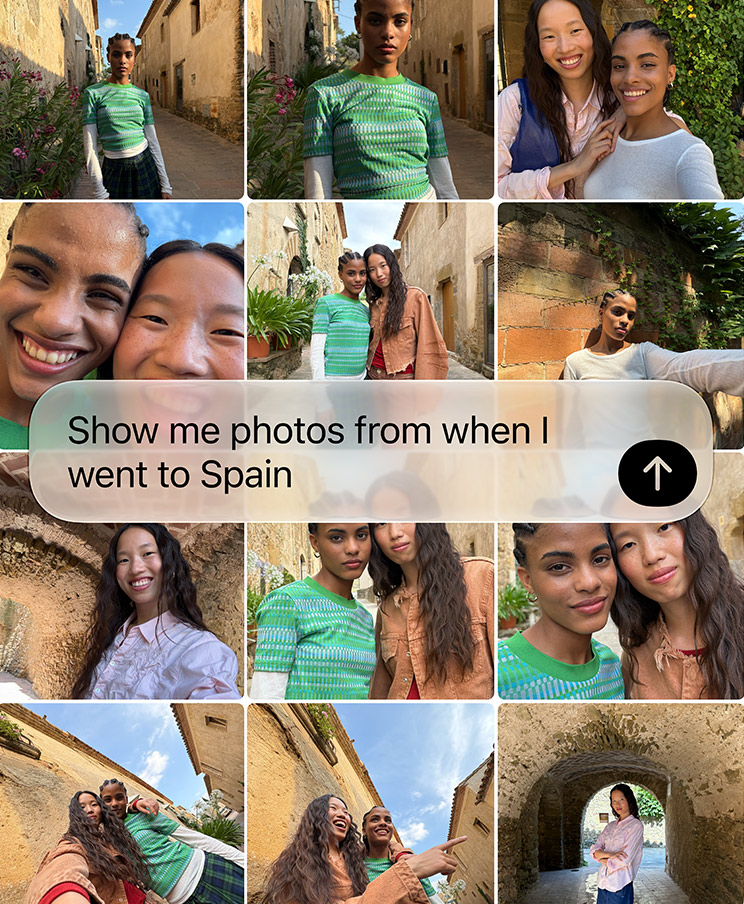
Siri AI can search your Messages, Mail, Photos, Notes and other content. So you can ask things like:
- “When is the party Sarah told me about?”
- “Find the restaurant James recommended.”
- “Show me the photo with my car registration number.”
- “What hotel did I book for Manchester?”
You don’t need to remember whether the answer came by email, message, note or photo. Siri looks across all of it.
The Wall Street Journal’s Nicole Nguyen tested exactly this. Standing at a parking machine, she needed her car registration. Siri found it in a photo on her phone and gave it to her straight away.
Six Colors’ Dan Moren had similar luck. Siri found details about a pool party in his messages, worked out who was going, and handled questions about old podcast episodes, emails and images.
This is where Apple’s plan starts to make sense. A standalone chatbot may be cleverer, but it usually knows very little about your personal life unless you deliberately feed it your data. Siri already lives inside all of it.
Siri can see what’s on your screen
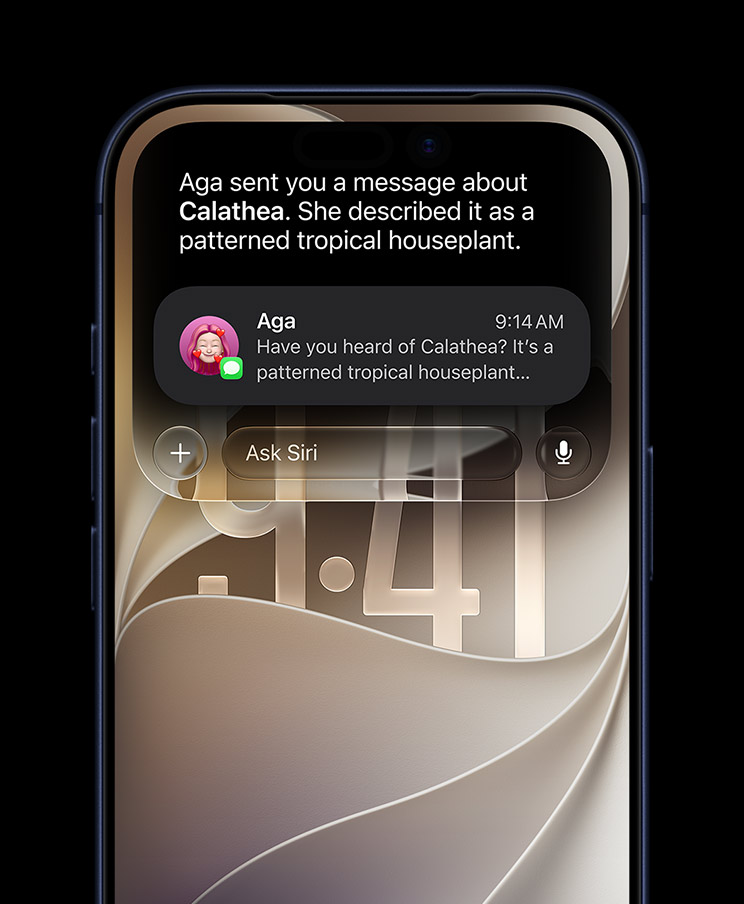
Siri now understands what’s on the display.
- If a webpage mentions an event, Siri can talk about it or add it to Calendar.
- If someone sends details by message, Siri can make a note or reminder from them.
- If you’re reading about a company, Siri can answer follow-up questions using that page.
TechCrunch found this especially handy during testing. Ivan Mehta used Siri while looking at football line-ups and company websites, and could ask questions without explaining the whole context again.
This is the real difference between AI built into the phone and a chatbot running as just another app. Your phone already knows what you’re doing. Siri can now use that.
Siri can actually do things now
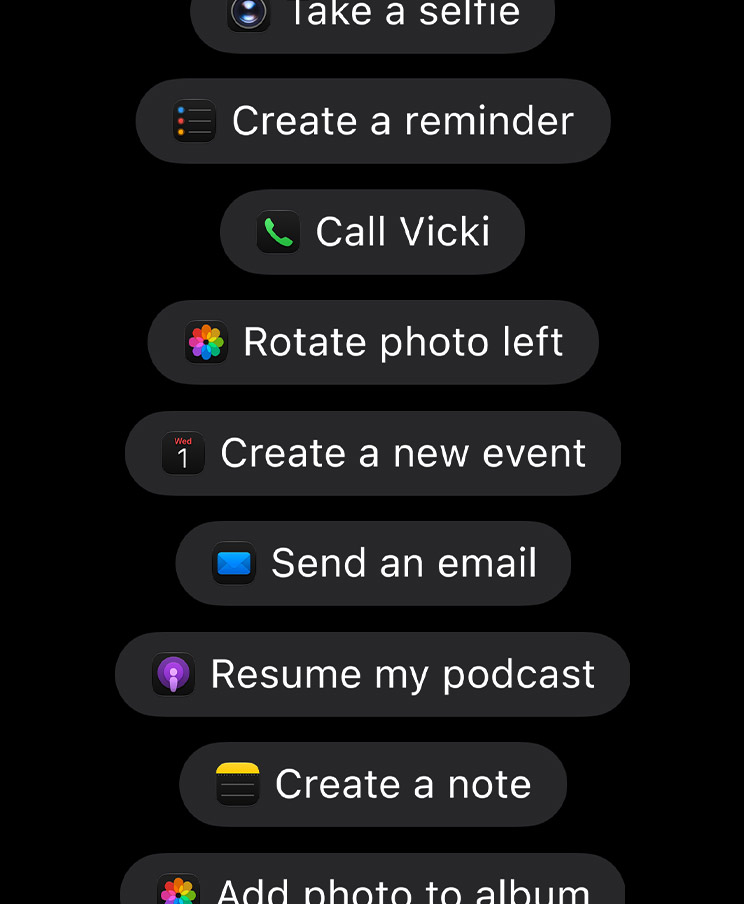
Siri works much more deeply with apps through Apple’s App Intents system.
Apple shows it working with Messages, Music, Reminders, Photos, Calendar and Mail. Other developers can connect their apps too.
So Siri can find something, change it and act on it, without you hopping between four apps.
TechCrunch tested harder requests successfully: finding information then adding it to Notes, writing messages based on an existing conversation, and controlling apps by voice. It wasn’t perfect, but it was far better than old Siri.
MacStories is more cautious. Federico Viticci finds Siri AI much better for quick jobs across Apple’s own apps, but says it shouldn’t be mistaken for a fully agentic system that can carry out long, complicated work on its own.
That distinction matters a lot when you compare iOS 27 with Android.
Siri now has its own app
Old Siri conversations vanished the moment they ended.
The new Siri app keeps them. You can search your history, and conversations sync privately across your Apple devices through iCloud. Start something on your iPhone and carry on with it on an iPad or Mac.
You can also type instead of speaking, go back to older chats and pin the important ones. In other words, it now works much more like ChatGPT or Gemini.
It also shows a tension in Apple’s plan. Siri is becoming both more deeply built into iOS and a separate chatbot app.
WIRED was less convinced by the app over time. Reece Rogers first saw Siri AI as a possible “everything tool”, mainly because of personal-context search. But he used it less and less during long-term testing.
That hints at something. Apple’s real advantage may not be the Siri app at all. It may be Siri turning up exactly where you already are.
Siri in the Camera: Apple’s answer to Google Lens
The Camera app gets its own Siri mode. Point the camera at something and ask Siri to identify it, explain it, translate it or look it up. Apple describes this as Siri AI plus Visual Intelligence.
Reviewers have used it on plants, objects, restaurant meals and nutrition labels.
TechCrunch tried it on a drink in an Indian restaurant. The first answer was too vague, but once Siri knew the restaurant context, it worked out the likely drink. Beebom found it useful for spotting items and reading nutrition labels, though not always accurate.
Useful, yes. New, not really. Google Lens and Gemini have done visual search for years. The difference is that Apple has made it another Siri mode, rather than a separate service.
It’s much better, but it still gets things wrong
Siri AI is built on large language models, so it has inherited their problems.
Six Colors calls it impressive at times, but documents misunderstandings and made-up answers. In one test, Siri found the right message with a neighbour’s return date, then claimed no date had been mentioned. In another, it tried to create several calendar events from a screenshot, but added only one, at the wrong time and in the wrong time zone.
Macworld is more cautious still. Its view is that Siri now knows far more and can do far more, but reliability problems mean it still isn’t consistently “smart” in the way people expect from modern AI.
9to5Mac has also reported early complaints about speed, reliability and people expecting more than Siri can do.
Apple labels Siri AI as beta. That label is fair.
Apple is putting daily limits on AI
Here’s a detail that’s easy to miss.
Apple says some Apple Intelligence features that rely on its servers can have daily usage limits. That can include Siri AI, smart photo editing, Image Playground and cloud models used by Shortcuts.
Apple also says wider access will be available for a fee in future.
That’s a big shift. Buying an iPhone has always meant getting all of its software features. But cloud AI costs real money every time it runs. So Apple is starting to draw a line between normal phone features and expensive AI ones.
How much this matters depends entirely on where those limits and prices land.
Apple Intelligence beyond Siri
Siri gets the attention, but AI now runs through Apple’s apps.
In Photos, there are three main additions:
- Spatial Reframing changes the composition of a photo you’ve already taken.
- Extend creates new image content outside the original frame.
- Clean Up removes unwanted objects, and now copes with bigger ones.
TechCrunch found Reframe and Extend a bit hit-and-miss, but thought object removal was clearly better and left fewer odd marks behind.
Image Playground can now make better images in more styles, including realistic ones. Apple says images that are generated or heavily edited by AI carry the right metadata, with more content-provenance tools planned.
Messages and Mail understand what you’re doing
Messages and Mail can now spot useful information in a conversation and offer to act on it.
- Someone mentions an event? Your phone offers to add it to Calendar.
- Someone tells you something to remember? It offers a note or a reminder.
Apple calls this Suggestions. It won’t impress anyone in a demo video. It may be more useful than the flashy stuff, because it removes small annoyances you hit dozens of times a week.
That idea runs right through iOS 27: AI doesn’t always need a big glowing chatbot window. Sometimes it just needs to put the right button in the right place.
Call Context is a good example
Call Context searches your phone and shows useful details while you’re on a call to a business.
Ring an airline, and your booking confirmation can appear. Ring about another reservation, and the details from Mail or another app can show up by themselves.
Google and Samsung are working on similar ideas. Apple’s advantage is how closely Mail, Messages, Phone, Wallet and the phone’s own search work together.
This is the sort of feature that becomes invisible after a few years, because people simply expect their phone to know why they’re calling.
Safari gets smarter
Safari gains two useful features.
First, it can sort your tabs into related topics by itself.
Second, and more interestingly, Notify Me can watch a webpage and tell you when it changes. Think of an item coming back into stock, a price dropping or a page being updated.
That’s a real shift. Safari is no longer only something you look at. It can now watch the web for you. It’s still a long way from a fully independent AI agent, but you can see where Apple is heading.
Shortcuts could become much easier
Shortcuts is powerful and, for most people, baffling.
Apple’s answer is Describe a Shortcut. Instead of learning about actions, variables and triggers, you explain what you want in plain words and Apple Intelligence builds it.
Tom’s Guide found this could be a game-changer for anyone who’s been put off by Shortcuts, because it turns automation into a conversation.
One important warning: Apple’s iOS 27 page still lists Describe a Shortcut as coming in a future update. So don’t buy into iOS 27.0.1 expecting it today. The same applies to some automatic Passwords features that Apple still lists as coming later.
Liquid Glass is much better now
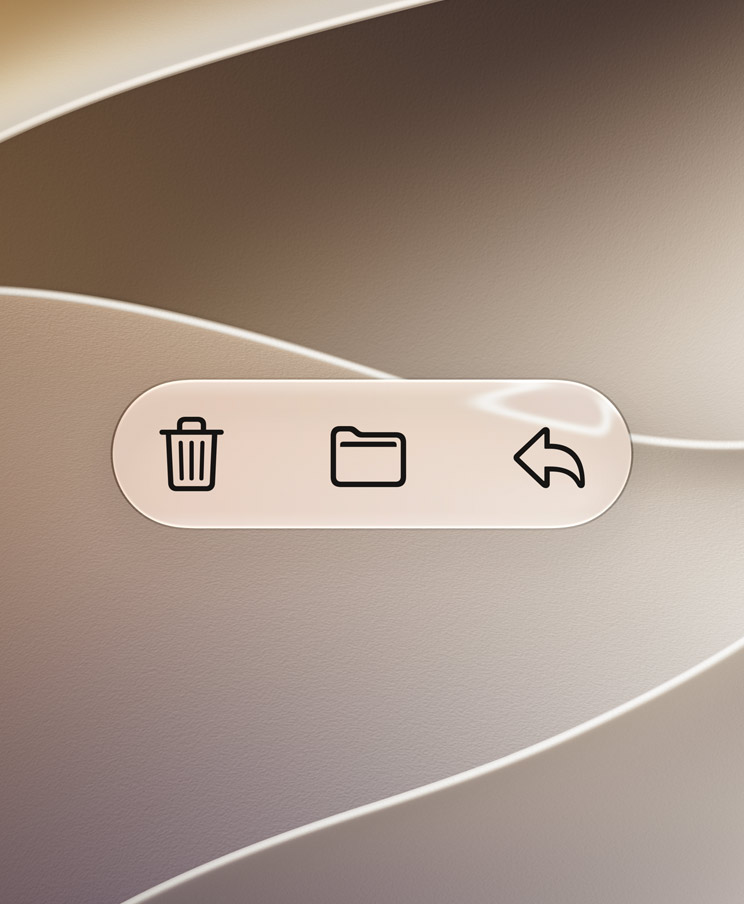
iOS 26 introduced Liquid Glass, with its see-through panels, light effects and animation. People praised the ambition and complained about reading things on it.
Apple hasn’t backed down. It has fixed it instead.
- Controls now stand out more clearly from the content behind them.
- The light effects are more even.
- Contrast is better and icons are sharper.
- There’s a new Liquid Glass slider, so you can choose anything from very clear to strongly tinted.
Reviewers agree on this one. Six Colors finds it much easier on the eyes, and says toolbars now separate properly from the content underneath. MacStories goes further: Federico Viticci argues Apple has clearly improved the underlying renderer, and that this is what Liquid Glass should have looked like at launch. 9to5Mac reports the same, even with transparency pushed to its clearest setting.
This won’t make headlines like Siri AI. But it affects every single minute you spend on your phone.
Performance is the underrated upgrade
Apple has put unusual effort into speed. Its claims:
- App launches up to 30 per cent faster
- New photos loading in Photos up to 70 per cent faster
- AirDrop transfers up to 80 per cent faster
Apple also says it has improved the CPU scheduler, and brought those gains to older supported iPhones.
Treat company percentages carefully. But independent reports broadly agree with the direction.
Six Colors describes iOS 27 as noticeably quick, with faster app launches, iCloud photo loading, AirDrop and network file access. Macworld tested it on an iPhone 11 Pro Max, one of the oldest supported phones, and concluded that the speed work makes iOS 27 worth having even with none of the AI features.
That’s unusual. Normally a big update makes older phones feel slower. Apple is deliberately selling this one as a tune-up for them.
Connectivity Assist fixes a daily annoyance
iOS 27 handles the switch between Wi-Fi and mobile data much better. Apple calls it Connectivity Assist.
Your phone spots when Wi-Fi has gone weak or useless and moves over to mobile data without interrupting what you’re doing. TechCrunch found the change noticeably smoother.
It sounds boring, right up until your video call stops freezing every time you walk out of your front door.
Search is finally better
Apple has improved search in Spotlight, Mail and Photos.
Mail now ranks results by how relevant they are, instead of just by date or keyword. Six Colors noticed the improvement even in an inbox with more than 144,000 messages.
Siri AI helps here too, because plain-language questions can find things that normal search struggles with. Instead of asking yourself “where did I save that?”, you just describe what you remember.
The parental controls deserve more attention
One of the biggest non-AI changes is the rebuild of Screen Time and child safety.
- Schedules: control which apps your child can use at particular times of day, or on particular days.
- Time Allowances: set limits by category, such as games, entertainment and social media.
- Ask to Browse: a child can request access to an unfamiliar website, and you approve or decline it through Messages.
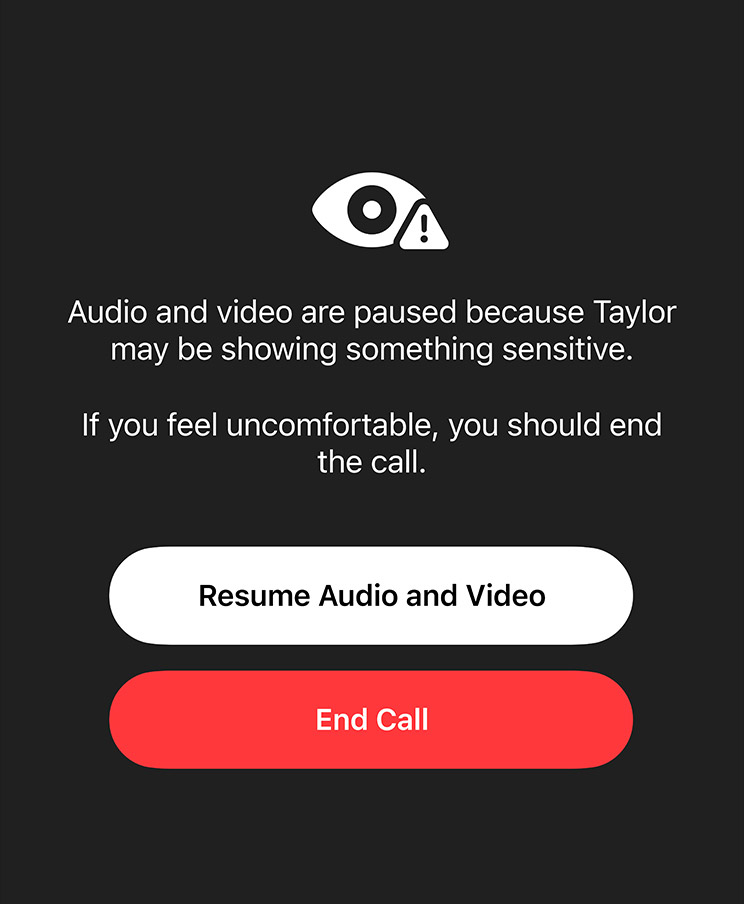
- Communication Safety: now goes beyond nudity, and can step in before a child sees certain violent or gory images and videos.
- Contacts: you can control who your child talks to, and require approval before new contacts are added.
Apple says the recommended settings were developed with health and child-development experts. The settings screens have also been simplified, so you can check usage and grant extra time quickly.
This is one area where Apple owning the hardware, the software, Family Sharing and the messaging app really pays off.
Privacy is Apple’s strongest AI argument
There’s an obvious problem with all of this. For an assistant to be genuinely personal, it needs access to deeply personal information: your emails, photos and messages.
Apple’s answer is on-device models plus Private Cloud Compute.
Where it can, your iPhone handles requests itself. Harder requests go to Apple silicon servers running Private Cloud Compute. Apple says that data sent there:
- Is used only to complete your request
- Isn’t kept afterwards
- Can’t be seen by Apple staff
Your device checks the server environment cryptographically before sending anything, and Apple publishes the server software for independent security researchers to inspect. You can also generate an Apple Intelligence Report to see what your phone has sent.
It has got more complicated in 2026, because Apple is now working with Google and NVIDIA and extending parts of Private Cloud Compute into other companies’ data centres. Apple says the same privacy rules apply there.
Google makes strong privacy claims for Gemini Intelligence too, built around user control and transparency. The difference is one of philosophy. Google wants Gemini to be increasingly proactive and independent. Apple wants Siri to reach your personal information while tightly controlling how it leaves your phone.
iOS 27 vs Android 17
Android 17 arrived on Pixel phones in June 2026 and is rolling out to other Android phones through the year.
Google’s direction is clearly different. It calls Android an “intelligence system”. Gemini Intelligence is built not just to answer questions, but to predict what you need, automate jobs and act across apps on its own.
On Pixel 11 hardware, Gemini works across more than 40 apps and handles increasingly complicated multi-step tasks.
Google’s Rambler is a good example. Rather than typing out your speech word for word, it works out what you meant, strips out the “ums” and turns rambling into clean writing. WIRED’s Pixel 11 Pro review calls it one of Google’s best software ideas in years.
Android 17 also brings stronger multitasking with floating app Bubbles, better big-screen support and security changes.
Here’s how they compare:
- Conversational AI: Siri is much improved, but Gemini is more mature.
- Personal context: Apple is excellent across Apple devices; Google is excellent across Google services.
- Proactive AI: Google is ahead.
- Multi-step tasks: Google is well ahead.
- On-screen awareness: both are strong.
- Voice input: Siri is better than it was, but Rambler is more advanced.
- AI privacy: a major Apple strength; Google is strong too, with a different cloud model.
- Multitasking: limited on normal iPhones, stronger on Android.
- Customisation: better on iOS than before, but far broader on Android.
- Older phones: Apple supports them well, but restricts the AI; Android depends heavily on the manufacturer.
The conclusion is simple. Google has the more ambitious AI platform. Gemini is further along towards getting things done for you.
Siri AI is more conservative. Apple’s edge is how well Siri understands the Apple ecosystem, and how it reaches your personal information without you connecting half a dozen services by hand.
iOS 27 vs Samsung One UI 9
Samsung’s One UI 9, built on Android 17, began its wider rollout in September 2026 after launching on Samsung’s latest foldables.
Samsung mixes Google’s AI with its own Galaxy AI:
- Now Brief gathers your information into daily cards.
- Now Nudge offers suggestions based on what you’re doing.
- My FanCam can follow a person in a video and reframe the shot automatically.
There’s also more Quick Panel customisation, new accessibility features and better protection against dodgy apps.
Samsung’s big advantage over iOS is still flexibility. You can change far more of the interface, run several apps at once on a foldable, and use windowed multitasking that Apple still doesn’t offer on normal iPhones.
Apple’s answer is consistency. iOS gives you fewer ways to change things, but what it does tends to behave the same way everywhere.
That difference has been there for years. AI isn’t removing it. If anything, it’s making it sharper.
iOS 27 on the iPhone Duo
The iPhone Duo is the first device to show how Apple wants iOS to work on a foldable.
Apple has moved navigation controls towards the outside edges of the big screen, so they stay within thumb reach. Apps can respond to the hinge angle and change their layout when the phone is partly folded.
The Duo also brings Split View, so two apps, or two windows of the same app, can sit side by side. You can save app pairs for later.
It’s very Apple: simple and nicely finished. It’s also more restrictive than Samsung. The Duo uses a fixed 50/50 split, and you can’t freely resize the windows. Samsung’s Galaxy Z Fold8 can run several apps in split and floating windows, with far more advanced multitasking.
That’s the clearest example of the difference between the two. Apple asks what the simplest version of multitasking is that most people will understand. Samsung asks how many windows it can fit on a screen before everything falls apart.
Neither is automatically right. Power users will prefer Samsung. People who like predictability will prefer Apple.
What the reviewers say
There’s surprising agreement across the major reviews.
- MacStories sees it as proof that Apple is paying attention to small interface details again. Federico Viticci finds Siri AI genuinely useful, but rejects comparisons with full agentic AI tools. He rates it for short jobs in Notes, Reminders, HomeKit and compatible apps, not complex work on its own.
- Six Colors calls iOS 27 a clear improvement on iOS 26 in design, features and speed. Dan Moren is impressed by personal-context questions, but documents made-up answers and wrong actions.
- TechCrunch is the most positive. Its reviewers found themselves using Siri again after years of ignoring it, and praise personal context, on-screen understanding and Siri Camera.
- WIRED is more sceptical about the long term. Siri’s search across personal data impressed at first, but the novelty faded during extended testing.
- The Wall Street Journal shows the strongest argument for Siri AI: finding practical personal details without you remembering where they were saved. It also found Siri slower and less reliable than leading standalone AI tools in some areas.
- Ars Technica treats the new Siri as the headline change across Apple’s 2026 software.
- Macworld calls the AI improvement significant, but warns that smaller reliability problems remain.
So the agreement isn’t that Apple has built the cleverest assistant. It’s that Siri has finally become useful enough that reviewers who gave up on it are using it again.
That’s a much lower bar than beating Gemini. It’s still a big achievement for Apple.
Where iOS 27 is strongest
The strength isn’t one feature. It’s several that support each other:
- Siri understands what’s on screen.
- Personal Context finds the right information.
- App Intents let Siri act on it.
- Messages and Mail suggest useful actions.
- Safari can watch pages for you.
- Photos can edit images intelligently.
- Search is better.
- Connectivity is better.
- The whole system feels faster.
Together, that feels less like a pile of AI demos and more like the start of a different kind of operating system.
Where it falls short
There are five main problems.
- Split hardware support. An iPhone 11 runs iOS 27, but gets nothing like the full Siri AI experience.
- Where you live. Siri AI is launching in English first. It isn’t available on iPhone and iPad in the European Union at launch, or in mainland China while Apple works through the rules. The UK is outside the EU, so UK iPhones can get the English rollout.
- Reliability. Siri still misunderstands things and makes things up. A wrong answer is annoying. A wrongly changed calendar or a message sent in error is worse.
- It can’t work alone. Google and others are moving towards assistants that complete complicated jobs by themselves. Siri isn’t in that group yet.
- Usage limits and future charges for heavier cloud AI. How Apple prices this will matter enormously.
Should you update?
For most supported iPhones, yes.
That isn’t mainly about Siri. Even an older iPhone that can’t run Apple Intelligence gets real improvements in speed, design, search, connectivity, parental controls and apps. Apple also fixed several launch problems with iOS 27.0.1 on 28 September.
If you have an iPhone 15 Pro or newer, you get a lot more, because Siri AI changes how you use the phone.
If you depend on your phone for critical work, it’s reasonable to wait for another small update, especially as Siri AI is still labelled beta.
Final verdict
iOS 27 isn’t the most eye-catching iPhone update Apple has made. It may be more important than that, because Apple has tackled three weaknesses at once:
- It has fixed much of what made Liquid Glass hard to read.
- It has worked on speed instead of just piling on features.
- It has rebuilt Siri on modern AI.
The new Siri is far more capable than the old one. Personal Context is genuinely useful. On-screen awareness makes it feel connected to what you’re doing. System-wide app actions show the point of building AI into a phone rather than installing another chatbot.
But Apple hasn’t won the AI race.
- Google is still ahead on AI that predicts what you need and gets things done by itself.
- Samsung is still ahead on customisation and multi-window multitasking, especially on foldables.
Apple’s advantage is elsewhere. It has perhaps the most joined-up mix of personal context, system integration, ecosystem continuity and privacy. For most people, that may matter more than which assistant writes the longest answer.
So the best way to read iOS 27 isn’t that Apple has invented the future of phone software. It’s that Apple has finally built the foundation it should have had years ago.
Siri is no longer obviously holding the iPhone back. Liquid Glass no longer feels unfinished. Older phones haven’t been abandoned in the rush to AI. And AI is slowly turning from something you open into something your phone quietly uses for you.
It’s less dramatic than an AI agent booking your holiday while you sleep. It may well be more useful.
For now: iOS 27 is the best version of Apple’s modern iPhone software, but Android 17 still leads on AI ambition, and One UI 9 still leads for power users.
The next question is whether Apple uses this new Siri as a foundation for genuinely independent AI in iOS 28, or settles for being the company that integrates AI best while others make it more capable. That fight will shape the next few years of phone software.
If you’re thinking about new hardware to go with it, we’ve also covered the iPhone 18 Pro and Pro Max and the folding iPhone Duo.
Images: Apple.